Field Recording Equipment Storage Media and Recording Formats
A field recorder can record reliably only when the storage medium is supported by that specific recorder and can sustain the selected recording data rate; the recording format then defines the saved file structure and metadata. For uncompressed recording, storage demand rises with sample rate × stored bits per sample × channel count, so available recording time is estimated from usable capacity divided by that data rate.
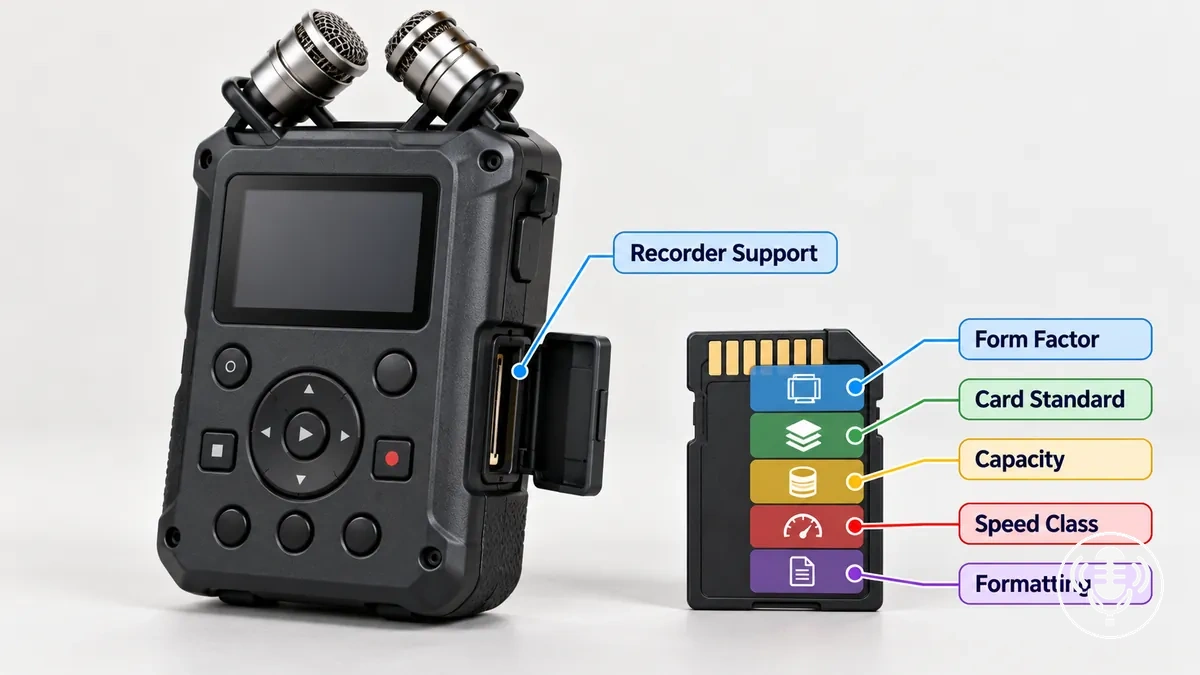
Field-recording storage and format decision map
Separate three decisions: whether the card is compatible, how the audio file is structured, and how quickly the chosen recording settings consume storage.
1 · Card compatibility
Controlling entity
The specific field recorder.
Check together
Form factor, SD-family support, capacity range, formatting or file-system requirement, and sustained write capability.
Decision rule
A card that physically fits, has more capacity, or carries a faster headline rating is not automatically compatible.
2 · Recording format
WAV
Stores audio in the WAVE file structure; available metadata depends on the recorder and software implementation.
BWF
Extends WAVE with broadcast-oriented metadata, including a Broadcast Audio Extension (bext) chunk when written by the recorder.
Decision rule
Choose the format that the recorder and downstream workflow both support; BWF is useful when production or time-reference metadata needs to travel with the recording.
3 · Storage planning
Uncompressed data rate
sample rate × bits per sample × channels ÷ 8 = bytes per second.
Recording-time estimate
usable bytes ÷ bytes per second.
Worked value
48 kHz × 24-bit × 2 channels = 288,000 B/s, about 1.04 GB/hour using decimal units; 60 GB usable is about 57.9 hours before file overhead.
Keep the layers separate: recorder support controls media compatibility, recording settings control storage demand, and the file format controls file structure and workflow metadata.
The sections below move from the recorder-to-media-to-file relationship through card compatibility and format choice, then into storage estimation and preservation of original recordings.
Table of Contents⌄
How storage media and recording formats function in a field recorder
Storage media and recording format describe different layers of the same recording path. The recorder writes a file in a supported format onto a supported physical medium.
Storage medium
The physical place that holds recorded data, such as a supported SD or microSD memory card.
Recording format
The file structure used to organise audio samples, channels, and supported file information.
Field recorder
The device that determines which media and formats are available and writes the recording file to the medium.
Metadata
Information associated with the recording file; the fields available depend on the format and the recorder implementation, not on the card itself.
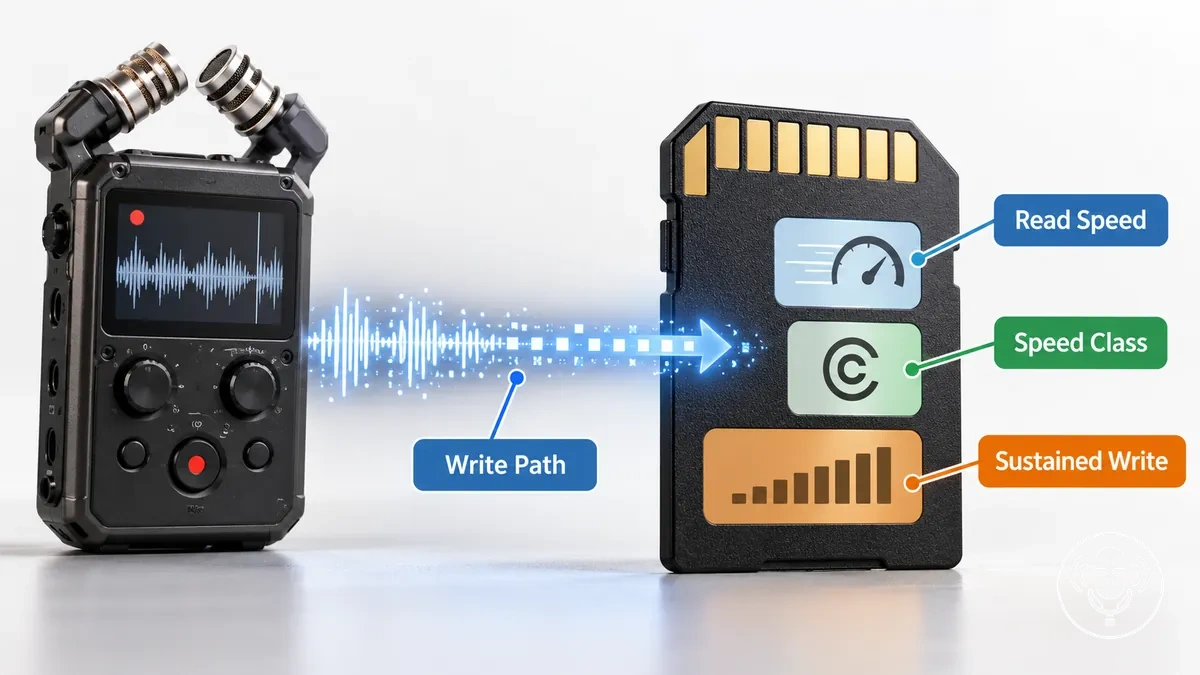
The recorder-to-media-to-file relationship is shown below: capture and recording settings are turned into a file, and that file is written to supported storage.
Memory card requirements for field recorders
A memory card is compatible only when all relevant media conditions match the recorder: card form factor, supported card family, capacity, required formatting or file system, and sustained write performance for the intended recording configuration.
A card with a higher capacity or faster advertised speed does not override an unsupported standard, capacity range, or formatting requirement.
Form factor and card family: match SD or microSD and the supported SD-family standard.
Capacity: stay within the recorder's documented supported range.
Formatting: use the recorder's required formatting or file-system condition when one is specified.
Sustained write capability: meet the requirement for the selected sample rate, stored sample size, and channel count.
Approved media: follow tested-card guidance when the recorder manufacturer provides it.
Verify the complete set of conditions before a recording session; a card can satisfy one attribute and still be unsupported because another requirement is not met.
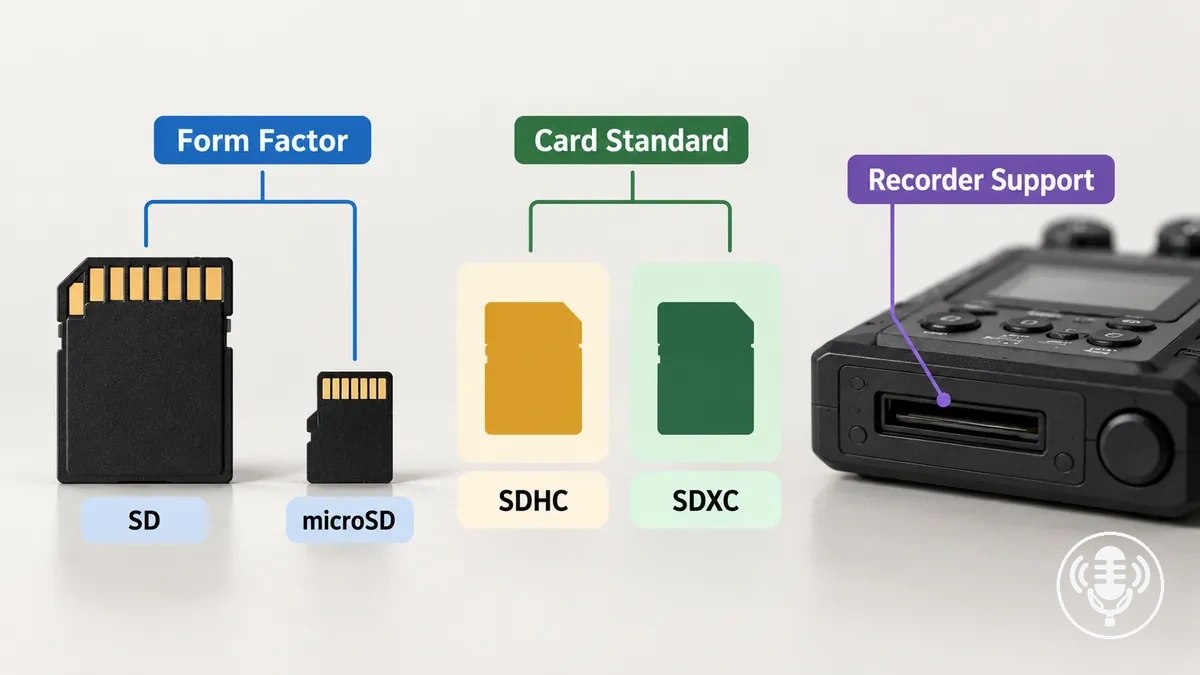
SD, microSD, SDHC, and SDXC support
SD and microSD are physical form factors, while SDHC and SDXC are capacity-based SD card families. Compatibility therefore requires both the card's physical form and its standard to match the recorder.
SD
Full-size physical card form factor. The label alone does not state that a recorder supports every SD capacity family.
microSD
Smaller physical form factor. An adapter changes how the card fits a slot; it does not convert the card to a different SDHC or SDXC standard.
SDHC
High Capacity family: more than 2 GB up to 32 GB. Recorder support must explicitly include the applicable card family and capacity.
SDXC
Extended Capacity family: more than 32 GB up to 2 TB. A physically fitting SDXC card is usable only if the recorder supports it.
Compatibility rule: physical fit is only one requirement. The recorder must also support the card family, capacity, formatting condition, and required write performance.
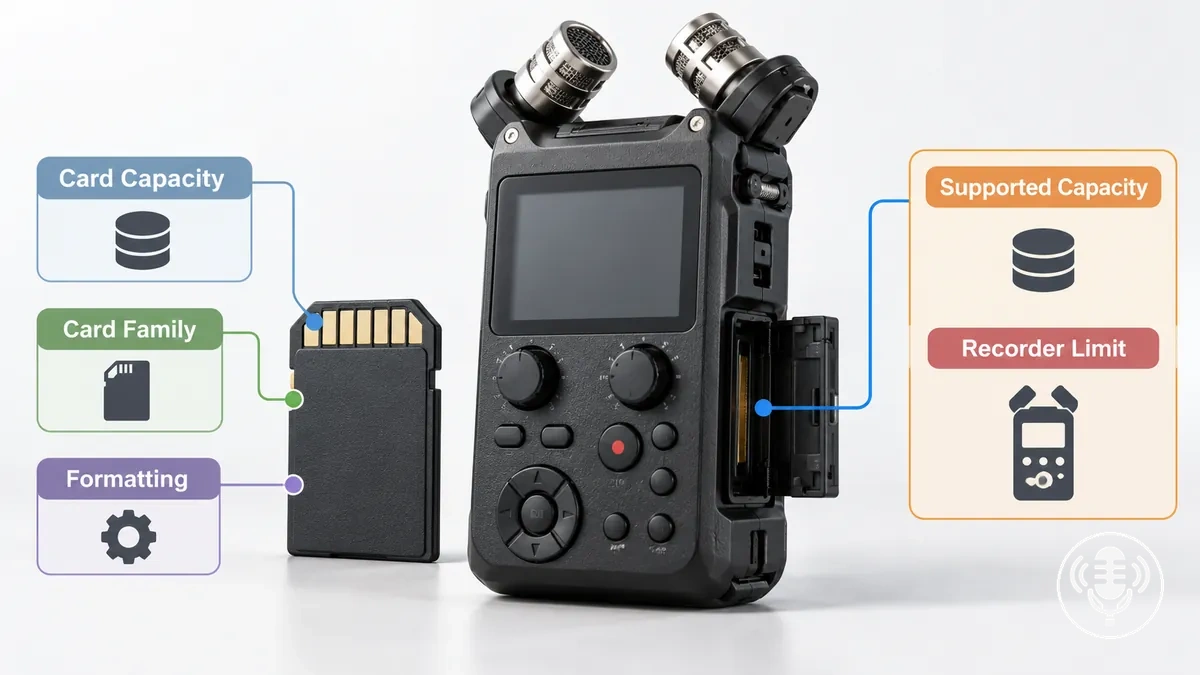
Supported card capacity and recorder limits
A field recorder can use a memory-card capacity only when it falls within the recorder's documented supported range. There is no single universal maximum that applies to every field recorder.
Recording duration is a separate calculation: once a card is supported, available time depends on its usable capacity and the selected recording data rate.
Write Speed and Speed-Class Requirements
For continuous audio recording, sustained write capability matters more than a card's advertised read speed. The card must continuously accept data at least as fast as the field recorder produces it.
The required write rate rises when the recording data rate rises, including when sample rate, stored sample size, or channel count increases.
Card speed attribute
What it describes
Why it matters to the recorder
Read speed
How quickly stored data can be retrieved from the card, such as during file transfer.
Useful for offloading files, but it does not establish whether recording can be sustained.
Sustained write behaviour
The card's ability to maintain write throughput while data is recorded continuously.
It must stay above the recorder's required recording data rate under the selected configuration.
Speed-class marking
A minimum write-performance class. For example, C10, U1, and V10 indicate 10 MB/s; U3 and V30 indicate 30 MB/s.
The marking is useful only when it satisfies the recorder's specified requirement; a higher class does not override other compatibility limits.
Recorder-specified requirement
The card type, speed class, performance condition, or tested-media guidance stated for a particular recorder.
This is the controlling compatibility condition for that recorder.
Use the speed-class value as a minimum-performance indicator, then apply the recorder's own supported-media or approved-card guidance. A fast card is still unsuitable if its card family, capacity, or formatting condition is unsupported.
Recording File Formats Used by Field Recorders
A recording file format defines how the saved audio file is structured, including the representation of audio data, channel organisation, and supported metadata. It does not define which memory card the recorder can use.
Audio representation
The format carries audio data produced at the selected sample rate and stored sample representation.
Channel organisation
The file structure records one or more channels according to the recorder's supported format implementation.
Metadata
File information can identify and describe a recording; the exact fields written depend on the recorder and format implementation.
Interoperability
The format is useful in a workflow only when the receiving software can read the audio structure and any metadata the workflow depends on.
Format choice affects file handling and metadata exchange, but it is not a universal sound-quality ranking. With like-for-like audio settings, WAV and BWF can carry equivalent audio data while differing in workflow metadata.
WAV and BWF Differences for Field Recording
BWF (Broadcast Wave Format) is a WAVE-compatible extension designed to carry additional broadcast and production metadata. It does not inherently increase audio quality over a WAV file recorded with the same audio settings.
The practical distinction is whether the workflow needs metadata that the recorder writes and the receiving system can use.
Attribute
WAV
BWF
Field-recording implication
Audio structure
Uses the WAVE/RIFF file structure for audio data.
Retains the WAVE/RIFF audio structure.
With the same recording settings, the formats can carry equivalent audio samples.
Metadata capability
Can contain metadata in chunks supported by the writing and receiving software.
Adds the Broadcast Audio Extension (bext) metadata structure and can coexist with other supported WAVE metadata chunks.
BWF is useful when workflow metadata must travel with the file.
Broadcast Extension values
No BWF bext requirement.
The bext structure can carry fields such as description, originator, origination date/time, and a time reference when the recorder writes them.
Those values can help identify and align recordings in production systems that recognise them.
Interoperability
Depends on receiving systems supporting the WAVE file and the metadata actually used.
Also depends on receiving systems recognising the relevant BWF metadata.
Choose the format according to the complete recorder-to-post-production workflow, not the filename extension alone.
Choose BWF when workflow metadata matters and both ends support it. Choose ordinary WAV when the required workflow does not depend on BWF-specific metadata; in either case, confirm the exact options implemented by the recorder.
File Size, Recording Duration, and Storage Capacity
File size and available recording time are controlled by the recording data rate and the card's usable capacity. At a fixed data rate, file size grows linearly with duration; at a fixed capacity, a higher data rate shortens available recording time.
Recording variable
Value or condition
Storage effect
Planning implication
Sample rate
More samples stored per second for each channel.
With bit depth and channel count held constant, increasing sample rate increases the data rate and storage consumed per unit of time.
A higher sample rate requires more usable capacity for the same recording duration.
Stored sample size/bit depth
More data stored for each audio sample under the selected recording mode.
With sample rate and channel count held constant, increasing stored sample size increases the data rate and resulting file size.
A larger stored sample size consumes usable capacity faster under otherwise comparable conditions.
Channel count
More audio channels written to the recording file.
With the other recording settings held constant, increasing channel count increases the total data rate and storage demand.
A higher channel count reduces the recording duration available from the same usable capacity.
Duration
More time recorded with the same recording configuration.
At a constant data rate, file size increases in direct proportion to recording duration.
A longer session requires proportionally more storage when the recording configuration remains unchanged.
Usable card capacity
Storage space available to the field recorder after formatting, reserved space, existing files, and recorder-specific storage behaviour are accounted for.
At the same data rate, greater usable capacity provides more space for recorded data.
Recording-time estimates should use usable capacity rather than assuming all nominal card capacity is available.
These equations describe the audio payload for uncompressed PCM-style storage. Container headers, metadata, formatting, reserved space, existing files, and recorder file-splitting behaviour can reduce practical available time.
Increasing sample rate, stored sample size, or channel count while holding the other variables constant increases storage consumed per unit of time. Increasing usable capacity moves recording time in the opposite direction.
Sample Rate, Bit Depth, and Channel Count as Storage Variables
Sample rate, stored sample size, and channel count each scale storage demand directly for uncompressed audio when the other variables are held constant. Doubling one of those factors doubles the raw audio data rate.
Sample rate
More samples per second per channel → proportionally more data per second.
Stored sample size
More bits or bytes stored for each sample → proportionally more data per second.
Channel count
More simultaneous channels → proportionally more data per second.
These are storage relationships, not quality recommendations. The appropriate recording settings depend on the capture and workflow requirements, while this section only describes their effect on storage.
32-Bit Float Storage Requirements Compared with 24-Bit Recording
For the same sample rate, channel count, and duration, a recording that stores 32-bit floating-point samples uses a larger raw audio payload than packed 24-bit PCM.
24-bit PCM
3 bytes per sample per channel when 24-bit PCM is stored in packed 24-bit sample words.
Baseline for the like-for-like comparison.
32-bit float
4 bytes per stored sample per channel in the raw audio payload.
When compared with packed 24-bit PCM, that raw payload is 4/3 as large, or about 33.3% more, at the same sample rate, channel count, and duration.
Complete file sizes also include headers, metadata chunks, and recorder-specific file handling, so the exact total-file ratio can differ slightly from the raw-payload ratio. The comparison does not imply that one mode is universally the better recording choice.
Estimating Recording Time from Card Capacity and Recording Settings
Estimate recording time by dividing usable card capacity by the recording data rate after converting both to compatible units.
Identify the active settings. Use the sample rate, stored sample size or bit depth, and channel count for the recording mode.
Calculate the uncompressed data rate. At 48,000 samples/s × 24 bits × 2 channels, the payload rate is 2,304,000 bits/s, or 288,000 bytes/s.
Convert usable capacity. With 60 GB usable under the decimal convention, capacity is 60,000,000,000 bytes.
Divide capacity by data rate. 60,000,000,000 ÷ 288,000 ≈ 208,333 seconds.
Illustrative result
About 57.9 hours at 48 kHz, 24-bit, two-channel uncompressed recording when 60 GB is genuinely usable.
The practical duration may be lower because of file-container overhead, formatting, reserved space, existing files, file splitting, or other recorder behaviour. Check the recorder's own remaining-time indication or documentation before relying on the estimate for a session.
Managing Field Recording Files on Removable Media
File management for field recordings means keeping the original recording set identifiable and intact from the source card through a verified transfer and a separate backup.
Use a repeatable sequence so files, folders, identifiers, and metadata remain associated while the session moves away from removable capture media.
Preserve the source media: leave the original recordings unchanged during transfer and verification.
Copy the complete session: keep related files together in the intended primary-storage structure.
Verify the copy: confirm that the expected recordings are present and accessible before treating transfer as complete.
Create a separate backup: keep another copy separate from the primary transferred copy.
Retain identifiers and metadata: preserve the information needed to retrieve and identify the recordings before card reuse.
Do not reuse or reformat the source card until the transferred recording set has been verified and a separate backup exists.
Folders, Filenames, and Recording Metadata
Consistent folders, unique filenames, and preserved metadata make recordings easier to distinguish and retrieve across multiple sessions. A practical filename should identify the session without trying to duplicate every metadata field.
Illustrative filename anatomy
2026-10-21_SESSION03_FOREST-01.wav
2026-10-21
Date
SESSION03
Session identifier
FOREST
Subject or location descriptor
01
Unique take or file identifier
.wav
File extension
The pattern is an example, not a required naming standard. The important properties are uniqueness, consistency, and traceability to the original recording.
Metadata carries information beyond the visible filename, and the fields available vary with the recorder and recording format. When organising copied recordings, preserve the original identifier and relevant recorder-generated metadata so the file remains traceable to its capture context.
Copying, Backing Up, and Preserving Original Recordings
Keep the source card unchanged while recordings are copied, verified, and backed up. Transfer, verification, and backup are separate preservation actions.
Leave the source card unchanged. Retain the original recordings while the session is copied.
Copy recordings and metadata. Transfer the files together with the identifiers and metadata needed to retain their context.
Verify the transferred set. Confirm that the expected files are present and accessible; where your workflow requires stronger assurance, use an appropriate integrity check.
Create a separate backup. Keep another copy separate from the primary transferred copy so one stored copy is not mistaken for a backup.
Reuse the card only after those steps succeed. Reformat or reuse the source media only after verification and backup creation are complete.
Preserve original files, identifiers, and relevant metadata together wherever later identification or retrieval depends on them.